


Case study
How Synergy Codes indexed 100 repositories on-prem and cut implementation time in half with CodeQA.
On-prem deployment. Incremental indexing. AI answers grounded only in internal code.

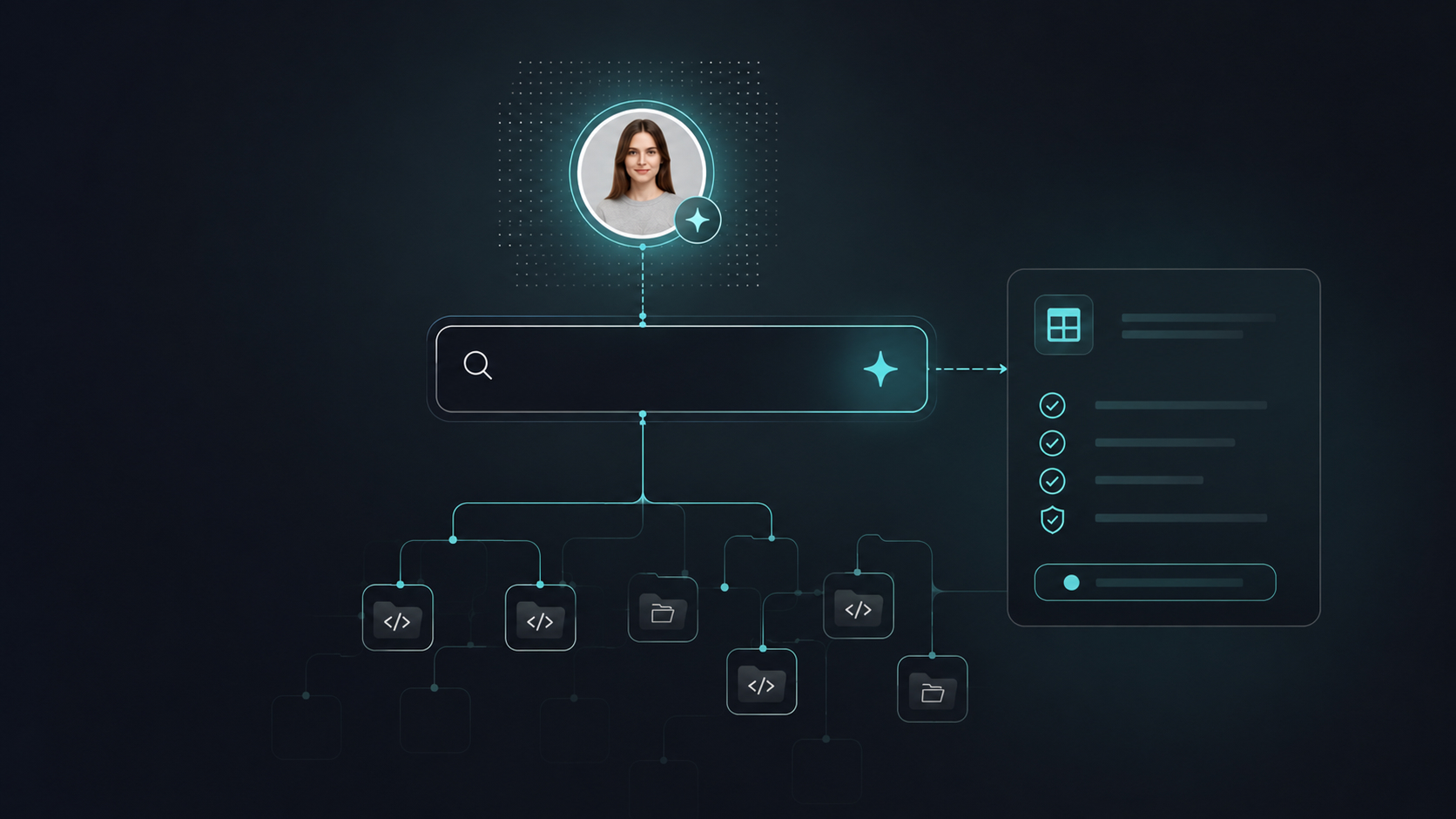
On-prem code intelligence that makes 100 repositories queryable from inside your coding environment.
Synergy Codes runs multiple active development teams, each building across separate repositories. Over the years this produced a large body of production-tested code: validated implementations, resolved integration patterns, and proven architectural decisions that remained invisible across team boundaries.
When a developer faced an unfamiliar library or a new task in an unknown codebase, they had two options: start from scratch or ask a colleague. Both cost time. Neither scaled.
CodeQA was deployed on-premises to change where that knowledge lives. The accumulated engineering knowledge of the entire organization became directly queryable from inside Claude Code, without context switching.
A technology company specialized in diagram and workflow interfaces. 70+ engineers, 200+ systems since 2011.
Make the organization's production-tested, reviewed code searchable from inside the coding workflow.
Incremental indexing of 100 repositories, MCP server integration into the developer workflow.
Access to engineering knowledge and senior developer's know-how.
Validated implementations siloed by project
When a developer faced an unfamiliar library, there was no reliable way to know whether another team had already solved the same problem. Research started from zero. Patterns were re-validated. Decisions made elsewhere were made again from scratch.
Senior developers as the search layer
When developers needed context on how something was built, they asked colleagues. Slack threads and meetings replaced what should have been a direct query. Senior engineers spent time re-explaining work already in the codebase but invisible without the right person.
Cold onboarding in a multi-repo codebase
Joining a project with years of accumulated architecture meant extra hours of file exploration on every task. Without knowing file paths, naming conventions, or which patterns were still active, developers relied on people rather than the code to build a mental model.
Delivery time under pressure without sacrificing quality
Estimating implementation time on unfamiliar ground is unreliable. When the research phase is invisible in the budget, teams must cut exploration short and risk poor decisions, or overrun the estimate. Neither outcome is acceptable for client delivery.
Choosing the right solution without project context
Selecting a library or pattern means understanding how the codebase already solves similar problems. Without cross-repo retrieval, developers default to familiar or generic tools instead of the solution that fits established patterns.
Giving AI code generators verified internal context
LLM-based coding tools generate code from general training data by default. Without access to internal, production-tested implementations that passed code review, AI-generated code introduces unvalidated patterns where working, reviewed solutions already exist.
From deployment to developer workflow in four steps.
On-prem installation
CodeQA installed within Synergy Codes infrastructure. No code leaves the environment. Works within existing security and access constraints.
Incremental indexing of 100 repositories
Initial indexing of all 100 repositories. Subsequent runs update only modified files, not the full codebase, so compute overhead stays low as it grows.
MCP server integration
Claude Code connected via MCP server, linking CodeQA and Figma MCP to bring code and design knowledge into one workflow, available inside the coding session.
Grounded answers in daily work
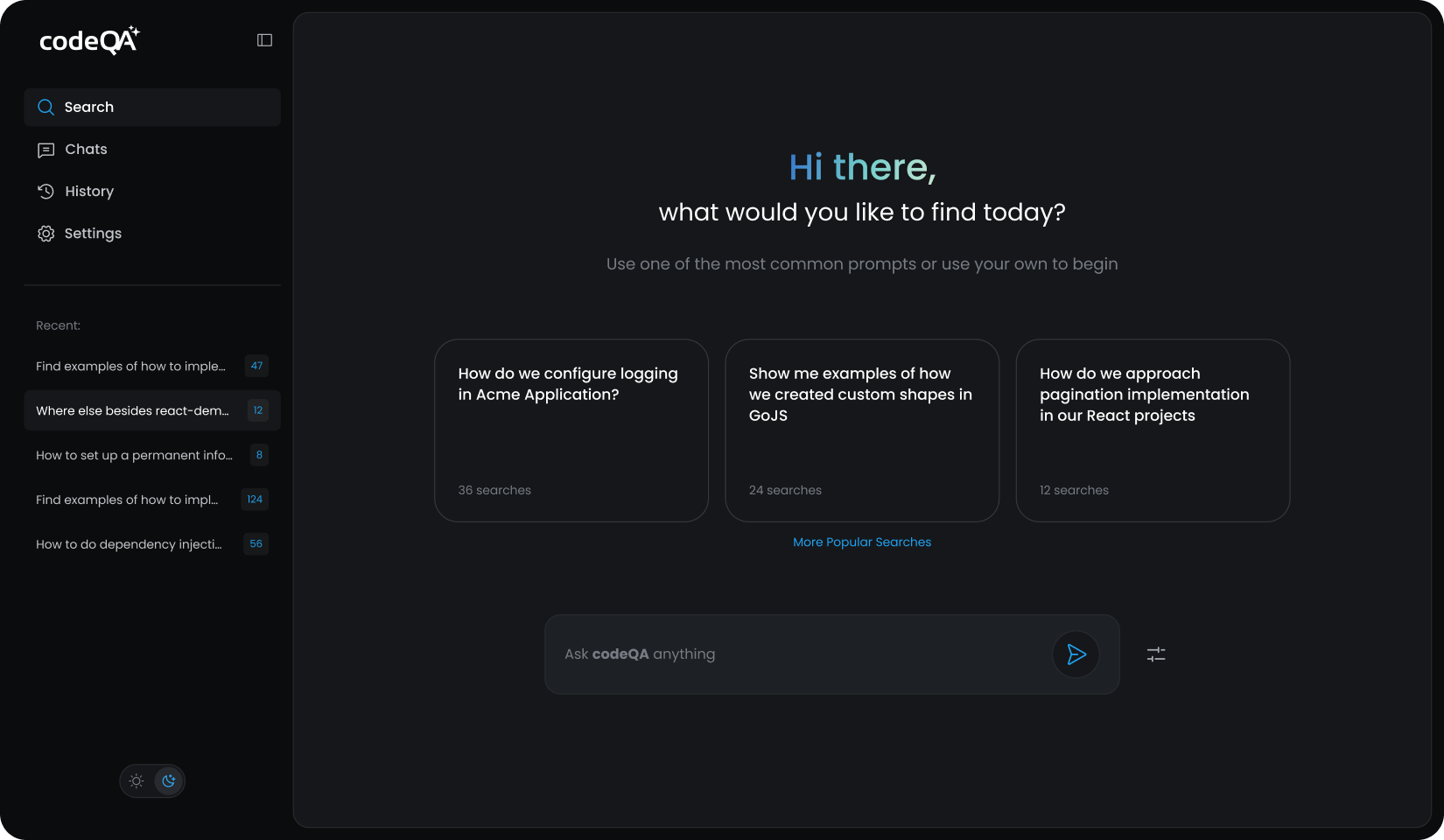
Developers query internal repositories in natural language. Results reference specific files with full content.
Use Case 1
From 80 hours estimated to 40 hours delivered.
The first measured case came weeks after deployment. Developer Dominika Pacholec was assigned to build a complex data table component for Processive MedTech Development Services.
Locating a validated implementation via semantic search
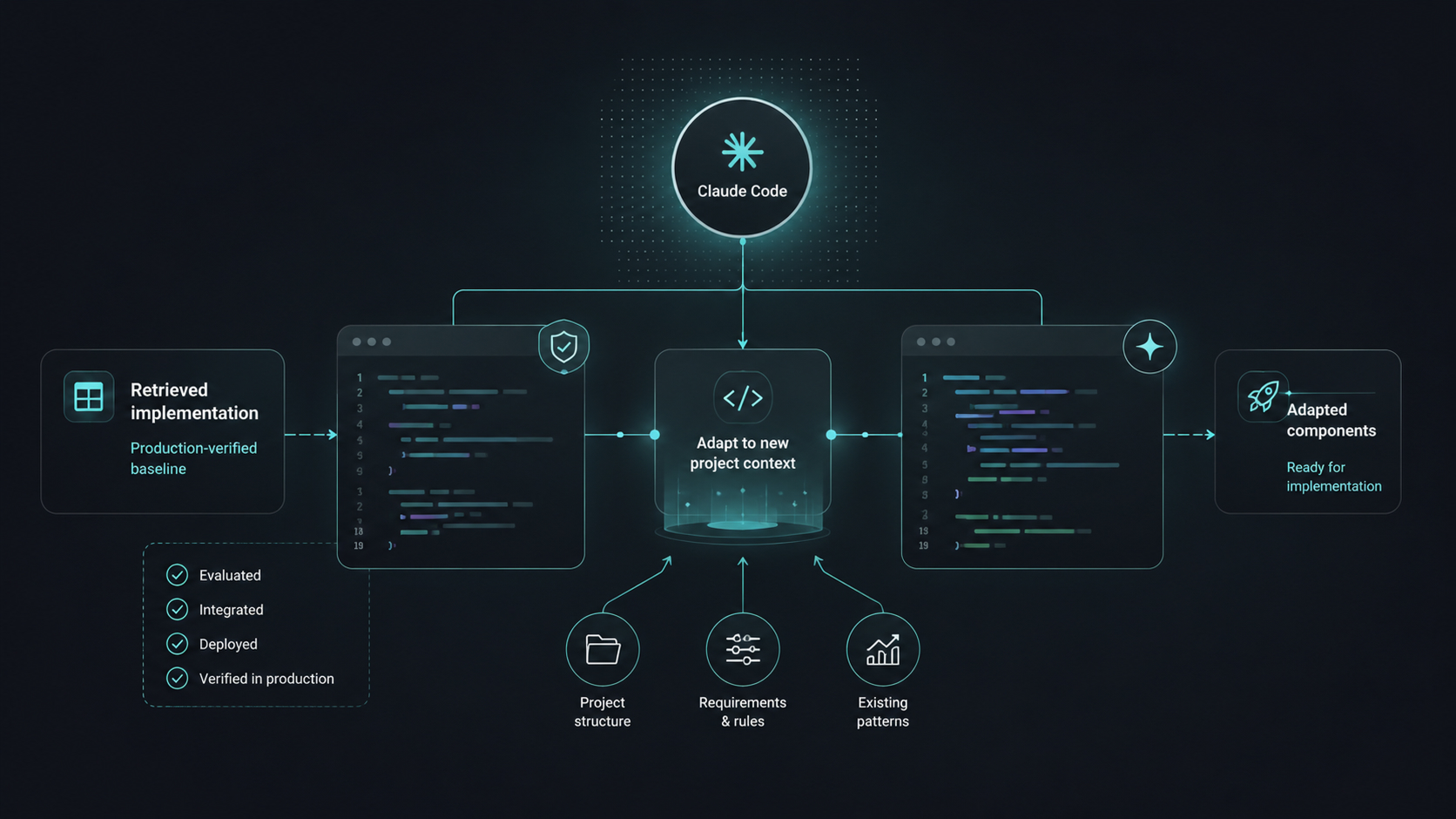
Dominika queried CodeQA for existing TanStack Table implementations across all Synergy Codes repositories. It surfaced a production-tested implementation built by another team months earlier - evaluated, integrated, deployed and verified in production. She had not known it existed.
Adapting components with Claude Code
Claude Code adapted the retrieved components to the new project's structure and requirements. Rather than generating code from general training data, it worked from a production-verified baseline - the scope was structural and contextual changes, not library discovery.
Design fidelity via Figma MCP
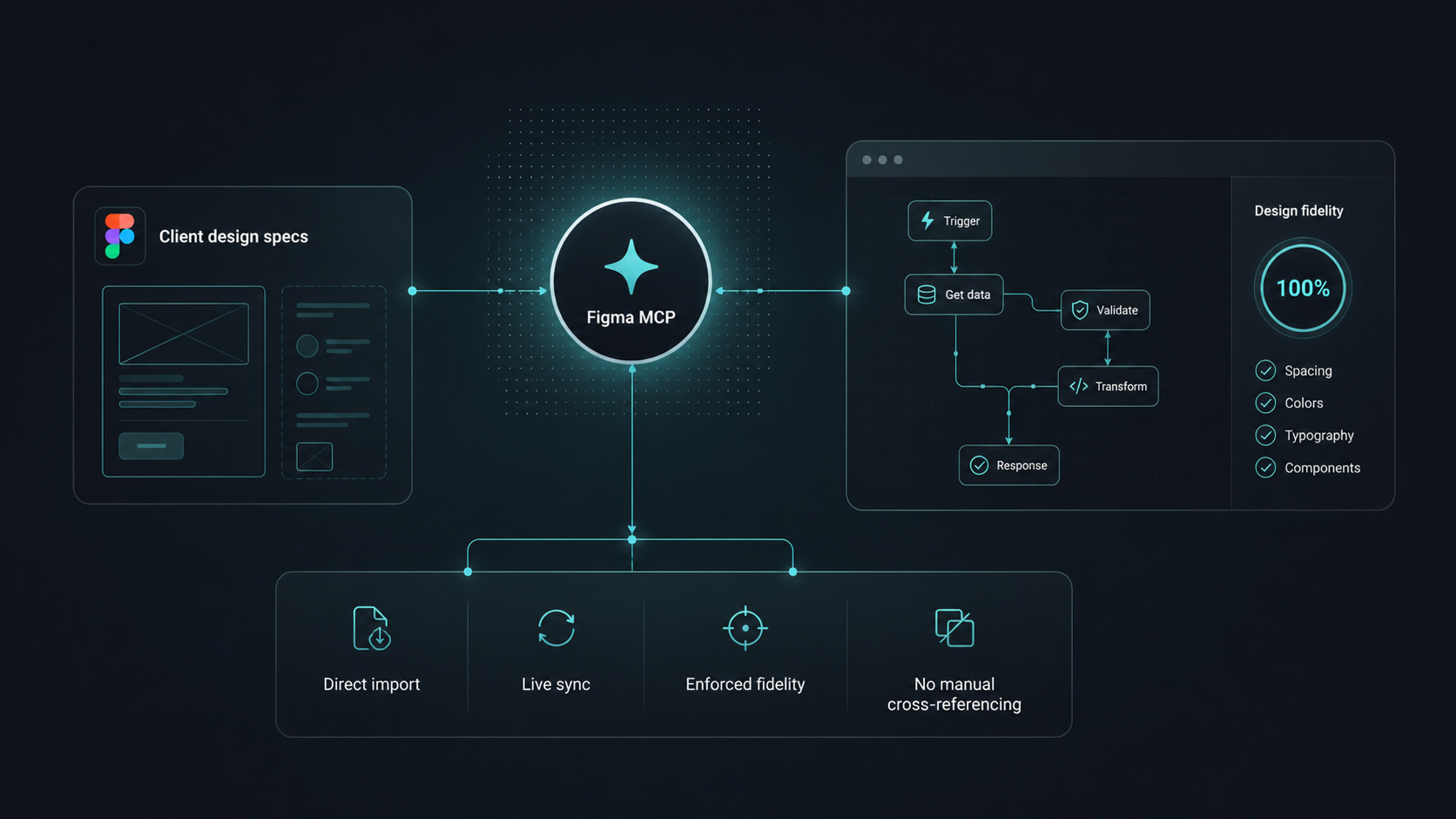
Figma MCP pulled the client's design specs directly into the workflow, enforcing design fidelity in real time without manual cross-referencing.
If I hadn't had an existing implementation from internal project, I would have gone with AG Grid, just to have components out of the box. I didn't have time to research TanStack Table from scratch. But I found out there was already a working table built in internal project: extensible, easy to style, with more features than I even needed. And it meant AI had a verified, production-tested source to work from. That's what made the decision.

Feature delivered in 40 hours. Design-matched, tested, ready for sign-off.
What stood out to us was not simply faster implementation, but the ability to build on top of already validated engineering decisions instead of repeating foundational work from scratch.

What impressed us was how quickly the team delivered a solution that still matched our design expectations and remained flexible for future development.

Use case 2
Developer onboarding to the new project.
The second case is about onboarding. A developer joined a project: a large codebase with years of accumulated architecture, domain-specific diagram logic, and no single person who held a full mental model of all of it.
Without CodeQA, navigating this codebase meant additional hours of file exploration on every new task, repeated questions to senior engineers, and slow iteration before any implementation could begin.
Task analysis before writing a line of code
When analyzing a new task, a single semantic query (e.g. "workflow validation engine" or "Customized ELK layered layout") surfaced the full feature context - implementation files, related rules, data mappers, and documentation. Instead of rediscovering existing patterns, the work started from what the codebase already provided.
The question "do we already have a solution for X?" gets an answer before implementation begins.
Impact on research efficiency
Reduced cold-start time
Queries return relevant files without requiring knowledge of file paths or naming conventions.
Fewer retrieval round-trips
Full file content with a description and use explanation returned in a single query, removing the grep → open → grep iteration cycle.
Concept-based retrieval, not string matching
Semantic indexing locates implementations even when names and file locations differ across repositories.
Why this matters for diagram-heavy codebases
GoJS, ELK, and similar diagram libraries are poor targets for string-based search: order-dependent code, custom naming conventions, and significant domain-specific logic distributed across files. Semantic retrieval with full file content reduces time-to-context from manual exploration cycles to targeted query execution.
When an organization runs multiple diagram projects, CodeQA enables AI-powered code search to surface production-validated solutions across repositories: palette configurations, layout utilities, store-to-diagram integration patterns.
One semantic query returned the entire feature context, including files I hadn't explicitly named. The answer to 'do we already have a solution for this?' came back before I'd written a single line.

Developer onboarding to the new project with CodeQA.
How CodeQA works inside the developer workflow.
MCP server integration
CodeQA connects directly into AI-assisted coding environments via MCP server. At Synergy Codes this linked CodeQA, Claude Code, and Figma MCP into one workflow: no context switching, no separate search step.
Incremental indexing
The index updates only modified files on each run. 100 repositories stay current without full re-indexing.
Cross-repo semantic search
Queries execute across all indexed repositories simultaneously. The developer does not need prior knowledge of the existing implementation to surface it. Cross-repo retrieval surfaced redux-gojs patterns used across projects - organizational reuse intelligence that does not exist within any single repository.
Grounded answers
Answers reference specific files with full content. Every result is traceable to a source file in the internal codebase. No answers generated from general training data. No code leaves the infrastructure.
Integrate CodeQA into how your team already works.
The team that builds the codebase is no longer the bottleneck for the team that works in it. Knowledge scales without requiring coordination, a production-verified implementation from another team months ago is as retrievable as code written yesterday.
Outcomes that repeat across teams.
50% time reduction
80 hours estimated, 40 hours delivered. Half the original estimate, with design fidelity and code quality intact.
100 repositories indexed
Indexed on-prem via incremental indexing. Compute overhead stays low as the codebase grows.
Verified context
Time to confirm whether a production-verified implementation already exists in the codebase.
FAQ.
Yes. All indexing and processing occur within your infrastructure. No code leaves your environment.
No. Answers are grounded only in indexed internal repositories.
Only modified files are re-indexed on each run. Compute overhead and token usage scale with code changes, not with the total size of the codebase.
Yes. CodeQA is designed for multi-repository environments. Synergy Codes deployed it across 100 repositories spanning multiple active teams.
No. It scales their knowledge across the team. Foundational decisions and production-verified implementations become queryable by any developer without requiring the senior engineer to be available.
Via MCP server, CodeQA connects directly into AI-assisted coding sessions (Claude Code, Cursor, and others). API integrations are available for custom workflows and CI/CD pipelines.
Concept-based and feature-based queries ("how does X work", "do we have a pattern for Y") return the strongest retrieval results. Exact file-by-name lookups work best via direct file access tools.
Code Intelligence for your tech team.
Discover how CodeQA can cut understanding time and make onboarding effortless.